How to Register for your FBI Background Check
If you're sending inked fingerprints from Spain, requesting your FBI background check online is a required step. Unfortunately, the FBI website can be difficult to navigate if you're not sure where to start.
To make things easier, we've created this guide to help ensure your request goes as smoothly as possible.
STEP-BY-STEP PROCESS
→ Step 1: Initiate Your Request
- Visit the Portal: Go to the official FBI Electronic Departmental Order portal.
- Locate the Form: Look for a somewhat hidden form at the bottom left of the screen. See image below.
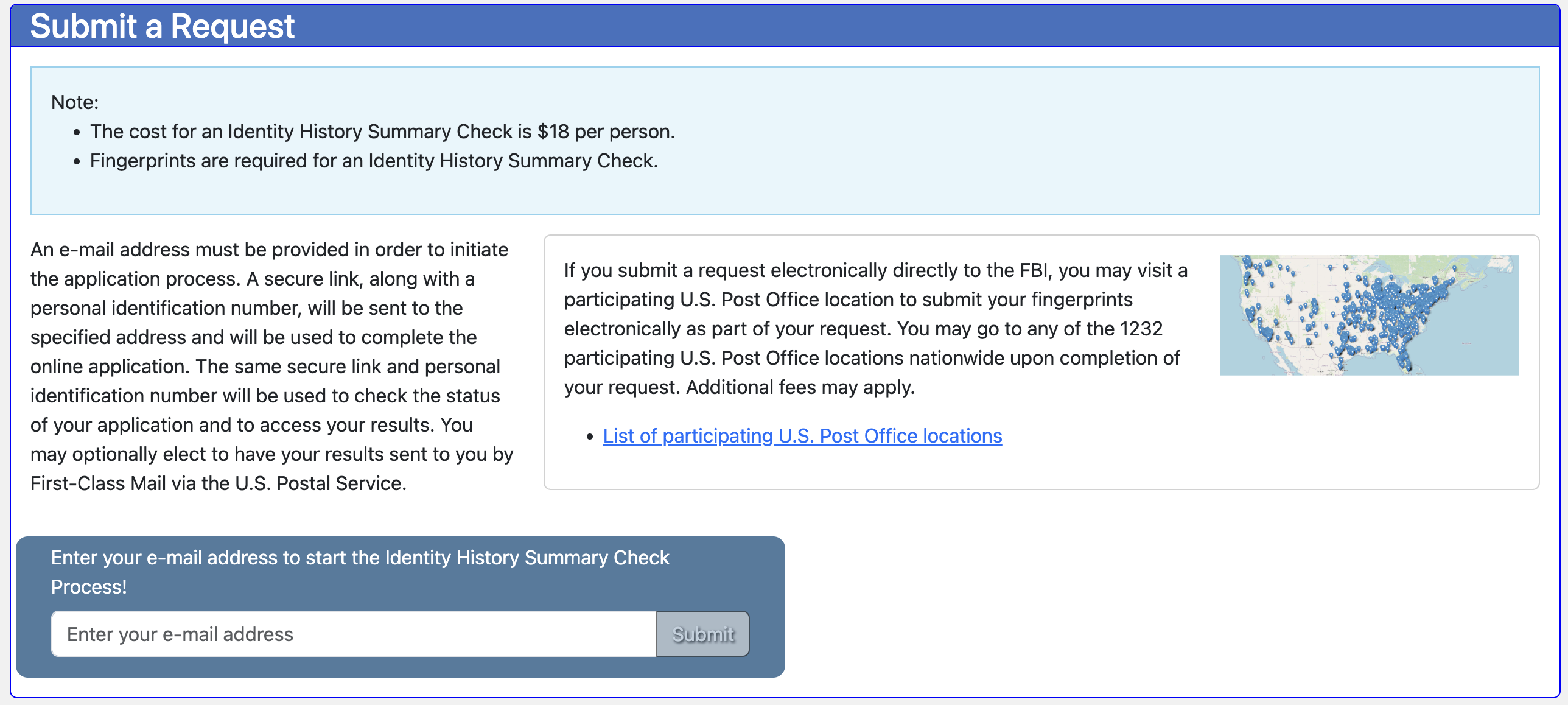
- Enter Your Email: Input your email address and click submit to start the application.
- Access the Link: You will receive an email with the subject line "Identity History Summary Request." Inside, you'll find a link and a PIN. Click the link, select "Continue," and enter your PIN on the right-hand side of the page.
→ Step 2: Enter Your Personal Information
This section asks for the personal details that the FBI will use to verify your identity. Carefully fill in your full name and other identifying details, making sure everything matches your official documents exactly — any discrepancies can cause verification issues or delays.
→ Step 3: Provide Your Mailing Address
The FBI requires a physical mailing address for their records. However, you do not need to request a physical copy of the background check to be mailed to you. A digital copy is sufficient. If you are currently residing in Spain, simply use your Spanish address here.
→ Step 4: Set Your Preferences
This section determines what information appears on your final background check and how you are notified of its progress.
- Social Security Number: You can select "Yes" or "No" to include your SSN. Spain will accept the background check regardless of your choice.
- Date of Birth: While Spain may accept a check without it, we strongly recommend selecting "Yes" to include your birthday. It is always safer to have more identifying information.
- Status Notifications: Under the dropdown menu, select "Yes, via email." This ensures you receive an alert the moment your PDF is ready for download.
→ Step 5: Fingerprint Card & Payment
Once your preferences are set, you will move to the final administrative steps of the online portal.
- Fingerprint Card Review: Check the Fingerprint Card section to ensure everything is in order and click "Next."
- Payment: Click "Proceed to payment" and follow the instructions to pay the $18.00 fee to the FBI via credit or debit card.
- Confirmation: Once payment is complete, you will receive a confirmation email. Make sure you received the email. You will need to submit the confirmation email along with your physical fingerprints.
→ Step 6: Submitting Your Physical Fingerprints
After completing the online request, you must still provide physical ink fingerprints to the FBI to complete the process.
- Using Our Service: If you are using Blueprint Spain to handle your fingerprints, simply email your confirmation email to info@blueprint-spain.com or send it to us via WhatsApp.
- Mailing Them Yourself: If you are handling the mailing yourself, print your confirmation email and place it in an envelope along with your inked fingerprint document (Form FD-1164). Mail your documents to:
FBI Mailing Address
FBI CJIS Division
ATTN: ELECTRONIC SUMMARY REQUEST
1000 Custer Hollow Road
Clarksburg, WV 26306

TIP: If you are mailing the documents yourself, we highly recommend you use UPS, DHL, or FedEx for expedited shipping. It's more expensive, but much quicker and less likely to get delayed. We've had clients who sent their documents with Correos and they didn't arrive for months.
FINAL RESULTS
Processing typically takes 2 weeks from the date the FBI receives your physical fingerprints. However, recently, background checks are processing faster (~ 1 week). You will receive an email notification when your check is ready. At that point, log back into the FBI website using your PIN to download the official PDF.
IMPORTANT! Remember, Spain will not accept the FBI background check on its own. You must have the background check apostilled and officially translated.
For information on how to get your FBI background check apostilled, please visit our apostille page.
If you have any other questions, please take a look at the FBI Background Check and Apostille FAQ page or send us a message below!